
Before You Risk Capital, Make the Chart Prove the Trade Idea
A market idea without chart verification is still just a story. Skipping timeframe structure, alerts, and actual-pair analysis can leave you entering too early, too late, or for the wrong reason.
Charts are not a shortcut to profit. They are a decision-making workspace. See how forex traders can use TradingView for currency-pair charts, alerts, watchlists, paper trading, and a more disciplined risk-planning routine.
Start free. Review current plan features and pricing directly on TradingView before upgrading.
The practical answer
What is TradingView?
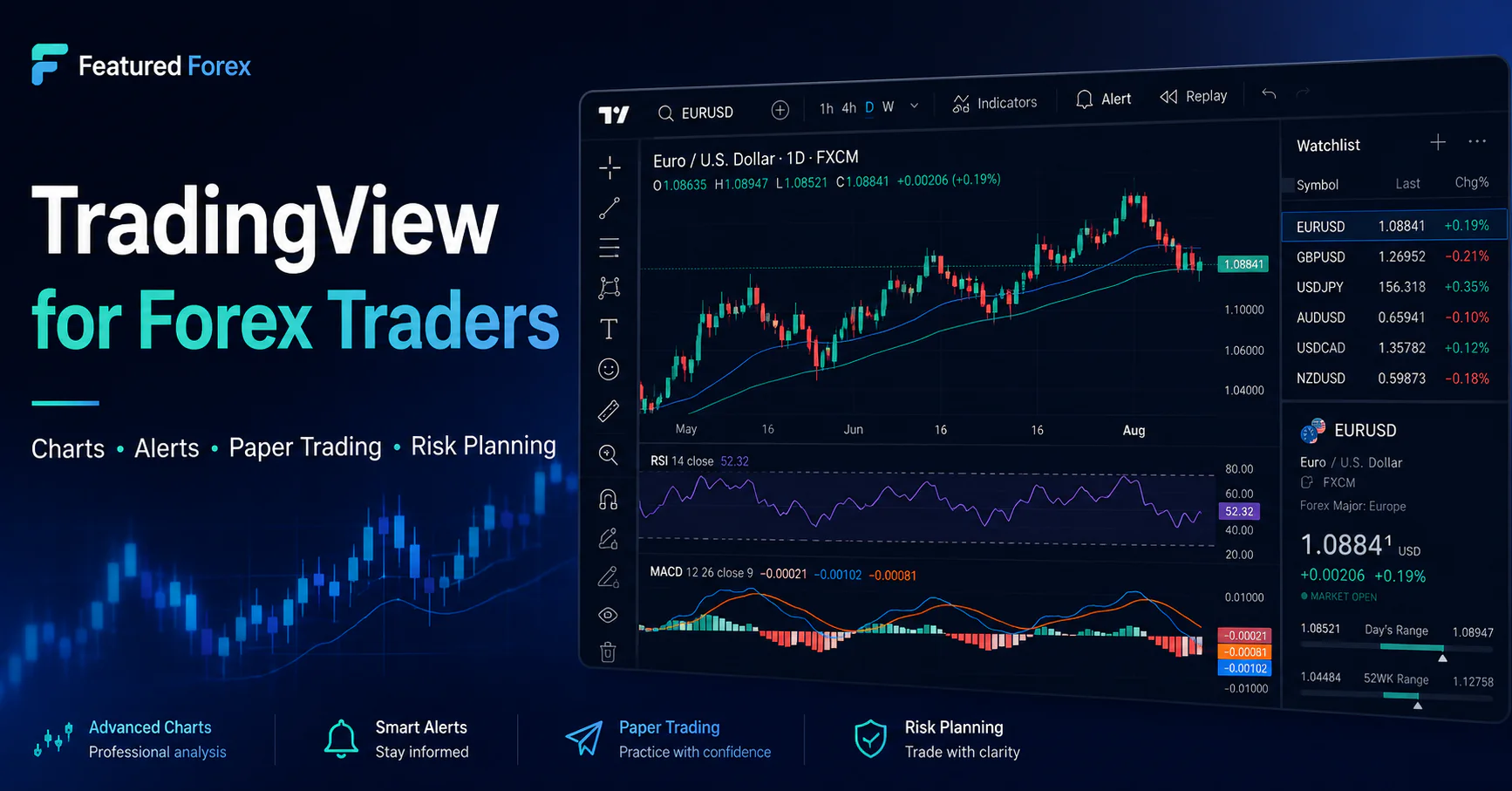
TradingView is a market-analysis platform used to view charts, build watchlists, apply technical indicators, create alerts, test ideas with paper trading, and—in supported regions—connect with available brokers. For a forex trader, its real value is not predicting the next move. Its value is organizing market information into a repeatable review process.
This guide to TradingView for Forex Traders explains how the platform can support chart analysis, alerts, simulated practice, and risk planning without treating software as a shortcut to profitable trading.
Currency-pair charts
Review forex pairs across multiple timeframes and use drawing tools to mark market structure, support, resistance, entries, stops, and target areas.
Price and technical alerts
Create alerts around levels or technical conditions so you do not have to stare at a chart and force a trade out of boredom.
Watchlists and layouts
Separate major pairs, minor pairs, dollar-sensitive markets, and active setups into a cleaner daily review workflow.
Paper trading
Practice placing simulated trades, reviewing orders, and testing a written process before deciding whether real-money trading is appropriate.
The Featured Forex verdict
TradingView is a strong fit for traders who want a visual charting workspace, flexible alerts, broad market coverage, and a way to practice. It is not a strategy by itself, a broker recommendation, a signal service, or a guarantee of better results. The platform works best when it is paired with position-size calculations, a written trading plan, defined risk, and regular journaling.
Use it with a process
A risk-first TradingView workflow for forex
A chart should support a decision process. It should not become an excuse to add more indicators, chase every candle, or increase leverage.
The best way to use TradingView for Forex Traders is to connect every chart decision to a written process. Before entering a position, define the setup, stop level, potential target, and maximum account risk.
Build the watchlist
Choose a manageable group of pairs instead of scanning everything.
Mark the setup
Define the market level, entry condition, invalidation point, and target.
Calculate the risk
Use account size, stop distance, and maximum risk to determine position size.
Set the alert
Let price come to the planned area rather than chasing movement.
Journal the outcome
Record execution, discipline, result, and what should change next time.
Important distinction
TradingView can help organize a trade. It cannot make the trade safe.
What the platform can help you do
- View and compare currency-pair charts
- Mark planned entry, stop, and target levels
- Create price and technical alerts
- Practice with simulated paper trading
- Review indicators, drawings, and market structure
- Save chart layouts and watchlists, depending on plan
What it cannot do for you
- Guarantee a profitable setup
- Choose an appropriate risk level for your finances
- Remove slippage, spread, leverage, or execution risk
- Prevent emotional decisions or overtrading
- Replace broker due diligence
- Turn an untested idea into a proven strategy
Plan comparison
Which TradingView plan may fit a forex trader?
Many traders should begin with the free Basic plan and upgrade only after a real limitation appears in their workflow. Do not pay for features simply because more charts, indicators, or alerts sound more professional.
| Plan | Charts per tab | Indicators per chart | Active price alerts | Practical fit |
|---|---|---|---|---|
| Basic | 1 | 2 | 3 | Learning the interface, simple chart review, and paper-trading practice. |
| Essential | 2 | 5 | 20 | A focused trader who wants an ad-free workspace and more room for alerts. |
| Plus | 4 | 10 | 100 | Multi-timeframe review, several layouts, and a larger alert workflow. |
| Premium | 8 | 25 | 400 | Advanced users who can clearly explain why they need more charts, indicators, and alerts. |
Plan names, features, trial periods, and prices can change. The feature counts above were reviewed against TradingView’s published plan comparison in June 2026. Verify current terms on TradingView before purchasing.
Good fit
TradingView may fit you if…
- You want a browser-based charting platform.
- You review forex alongside stocks, indices, futures, or crypto.
- You want alerts to reduce constant chart watching.
- You are willing to begin with paper trading.
- You use a written entry, stop, target, and risk plan.
- You understand that indicators are inputs, not guarantees.
Poor fit
It may not solve your problem if…
- You are looking for guaranteed signals or profits.
- You believe adding more indicators creates certainty.
- You do not calculate position size before trading.
- You are choosing a platform before understanding leverage.
- You are likely to overtrade because charts are always available.
- You expect software to replace discipline and review.
Practice before capital
How TradingView paper trading works
TradingView’s paper-trading simulator uses simulated money rather than real deposits. It can be used to practice order placement and test a process in market conditions without placing a real-money trade.
Paper trading is one of the most useful TradingView for Forex Traders features because it allows users to practice order placement and review their process before committing real money.
Open Supercharts
Open a chart, then select the Trade area in the platform.
Connect Paper Trading
Select Paper Trading and connect the simulated account.
Practice the full routine
Plan the setup, calculate risk, place the simulated order, and journal the result.
Complete the workflow
Use TradingView with Featured Forex tools
Start with the workspace—not the hype
Build the chart. Define the risk. Wait for the setup.
TradingView can provide the charting and alert workspace. Your responsibility is to decide whether a trade fits a written plan and whether the risk is appropriate.
TradingView for Forex Traders works best as part of a complete routine that includes chart review, position sizing, trade planning, alerts, and post-trade journaling.
Affiliate link. Featured Forex may earn compensation from qualifying subscriptions.
Frequently asked questions
TradingView for forex traders: FAQ
Can TradingView be used for forex?
Yes. Traders can use TradingView to review currency-pair charts, create watchlists, apply indicators and drawings, set alerts, and use paper trading. Broker availability and trading connections depend on region and supported integrations.
Is TradingView a forex broker?
TradingView is primarily a charting and market-analysis platform. It provides access to supported broker connections in certain regions, but traders should evaluate the actual broker separately, including regulation, fees, spreads, withdrawals, execution, and account rules.
Is TradingView free?
TradingView offers a Basic plan that can be used without a paid subscription. Paid plans provide higher limits and additional features. Current prices and plan terms should be verified directly on TradingView.
Does TradingView offer paper trading?
Yes. TradingView provides a simulated paper-trading account that does not require a real-money deposit. It can help users practice order placement and test a written routine, but simulated results do not guarantee live-trading results.
Which TradingView plan is best for a beginner?
The free Basic plan is often enough to learn the platform, review a simple chart, create a small watchlist, and begin paper trading. Upgrade only when a specific limit—such as alerts, charts per tab, layouts, or indicators—interferes with a proven workflow.
Will TradingView make me a profitable trader?
No platform can guarantee profitability. Results depend on strategy quality, risk control, execution, costs, market conditions, discipline, and many other factors. Losses are possible, especially when leverage is involved.
Why does Featured Forex recommend starting with risk calculators?
A chart may suggest a setup, but the trader still needs to define the account risk, stop distance, potential reward, and position size. Calculating those numbers before the trade helps separate chart analysis from financial risk.